




Platform features
Inside the EcomWeb backend.
Products, customers, orders, checkout, promotions and content all run on one system. Engineering teams use the API and SDK to bring these features into their products, while the CLI handles administration and operational automation.
Backend structure
Six areas, one source of truth.
Each area covers a clear part of the business logic. Connected sales channels reuse the same features instead of rebuilding them channel by channel.
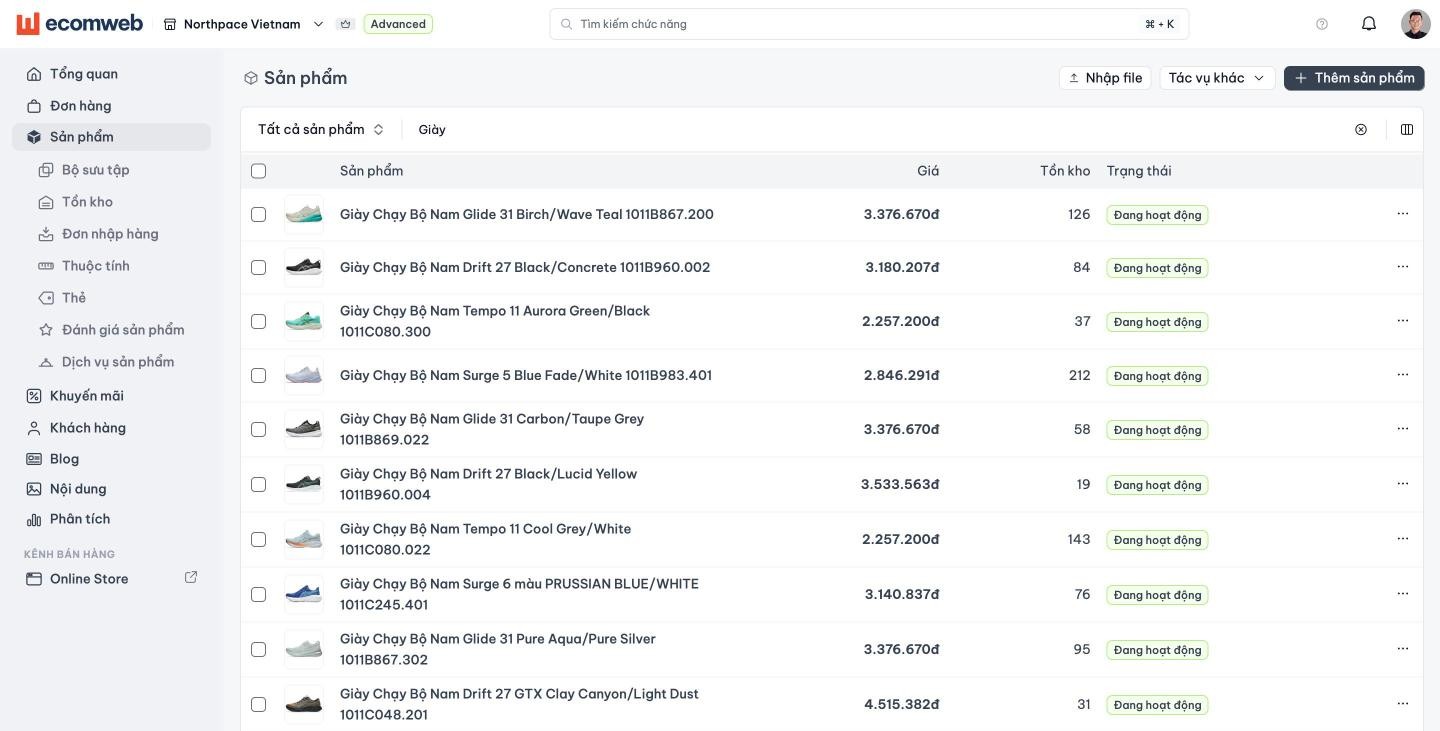
Products and catalog
One product record for storefronts, landing pages, apps and AI sales assistants, instead of a hand-maintained copy for every channel.
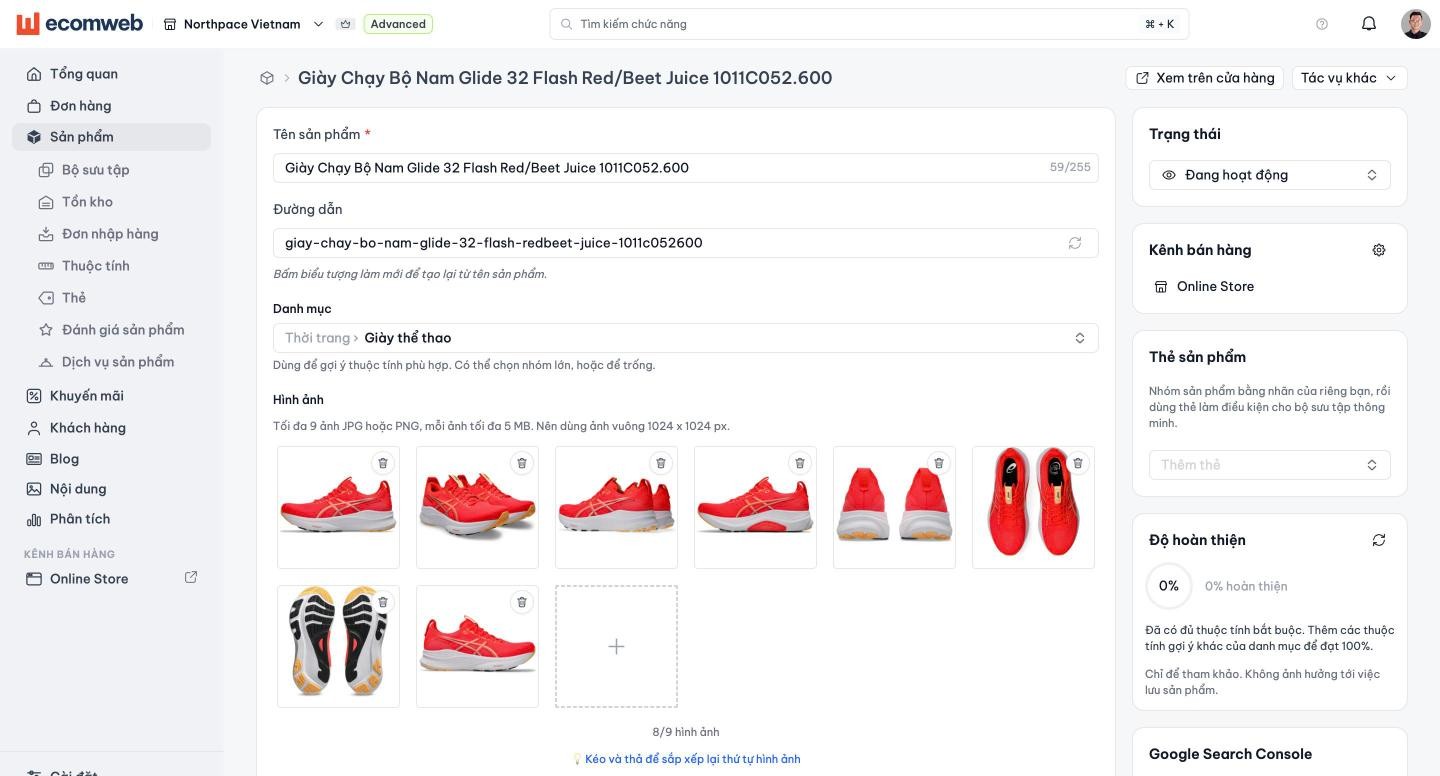
Products and variants
Keep product information, images, specifications and options in one record that every channel reads consistently.
Catalogs and collections
Organise products by catalog, collection and attributes so each channel can retrieve the right range.
List price and inventory
Set selling prices and track available quantities, with the same values used in the admin and supported APIs.
Checkout, pricing and promotions
One checkout flow and one set of pricing rules can serve every channel, so a new landing page does not need to rebuild this business logic.
Cart and checkout
Reuse the same flow from cart to order creation across storefronts, mobile apps and supported AI sales assistants.
Pricing rules
Define prices by customer group, time or campaign and apply them across supported channels.
Promotions
Create discount codes and product- or order-level offers with clear eligibility rules.
Checkout validation
Validate price, inventory and promotions on the server before creating an order instead of trusting values sent by the interface.
Orders and fulfilment
Orders from supported channels arrive in one list, with the source channel and campaign recorded where available.
Orders from supported channels
Bring orders from connected storefronts, landing pages, mobile apps and messaging integrations into one system.
Processing status
Track an order from confirmation through handover to the customer.
Payments and fulfilment
Keep payment results and delivery progress on the order.
Order source and reporting
Record source-channel and campaign data where supported to measure each point of sale.
Customers
A shared customer profile lets supported policies and benefits follow the buyer instead of the interface.
Customer profiles
Keep contact details, addresses and purchase history in one profile.
Customer groups
Segment customers using business criteria such as retail, loyalty or dealer status.
Group-based policies
Apply supported pricing, offers and catalog access by customer group.
Content and media
Brand content sits alongside product data so storefronts, landing pages and supported AI assistants can use approved information.
Pages and posts
Keep campaign content, sales policies and guidance alongside products.
Images, URLs and menus
Manage shared media, page addresses and navigation for connected experiences.
Content for assisted selling
Structure descriptions, specifications and approved guidance for supported AI assistants.
Integrations, permissions and extensions
Engineering teams can bring EcomWeb data and commerce operations into websites, apps and automated workflows through the API, SDK and CLI. AI assistants can take part within their permitted scope.
View developer detailsAPI, SDK and CLI
Read data and run supported business operations from storefronts, apps, internal systems or the command line.
AI assistant tools
Each operation has clear inputs and results, so coding and sales assistants can work within their permitted scope.
Roles, permissions and audit history
Limit each member, access key and assistant, with a record of changes where supported.
Payments and shipping
Integrate providers supported by EcomWeb, such as MoMo, ZaloPay, VNPay, GHN, GHTK and VNPost.
Events and synchronisation
Use supported webhooks and synchronisation mechanisms to send data to a CRM, ERP or marketing tool.
Next step
Ready to put the backend to work?
Create a free store to explore the admin, or review the API, SDK and CLI before your engineering team begins.